


Step 1: Login to the Tacitine. (If you are configuring the Tacitine for the first time, the default Lan IP is https://192.168.100.1:4433)and Default username: admin & Password: admin99
Step 2: Click the Configuration > Hotspot tab.
Step 3: Click the Prepaid Accounts > Voucher Templates
How to Configure the Voucher Templates
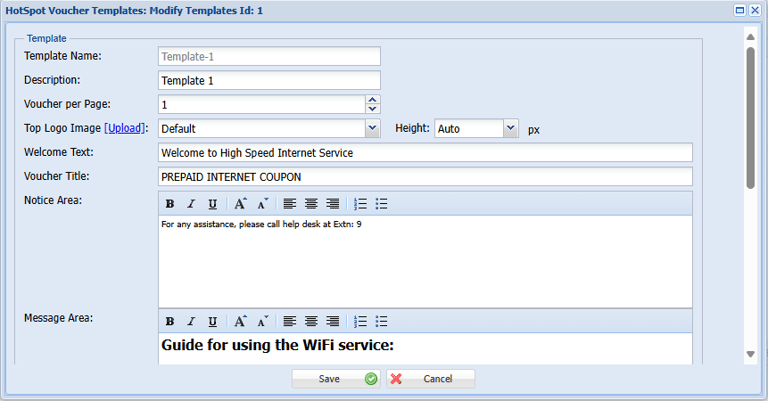
Step 4: Select the Voucher Template and Click Modify. Eg: Template-1
Step 5: Provide the Welcome Text, Other Title, Notice Area and Message Area for Your Convenient.