
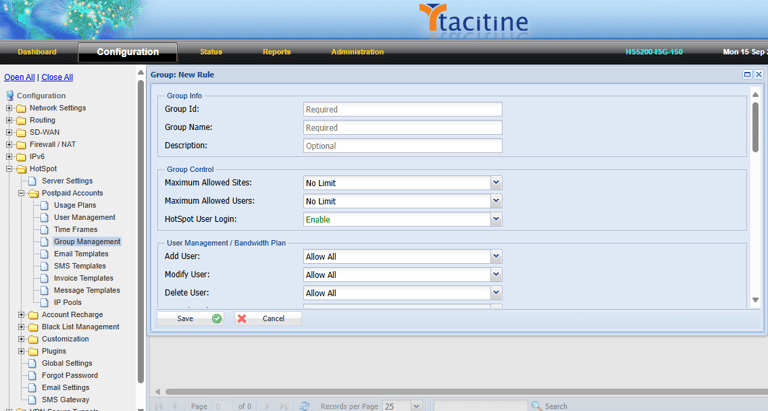
Step 1: Login to the Tacitine. (If you are configuring the Tacitine for the first time, the default Lan IP is https://192.168.100.1:4433)and Default username: admin & Password: admin99
Step 2: Click the Configuration > Hotspot tab.
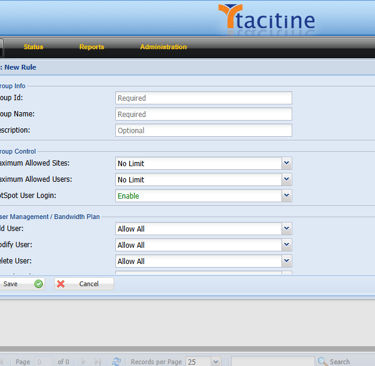
Step 3: Click the Postpaid Accounts > Group Management > Add
How to Configure the Group Management
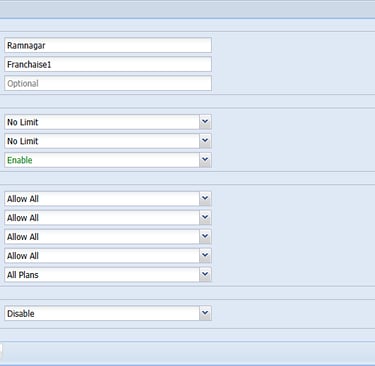
Step 4: Give the Group Id Eg: Ramnagar.
Step 5: Give the Group Name for Identification.
Step 6: Mention How many Sites and Users you allowed for that Group Eg: No Limit
Step 7: Mention the Access Control for ADD User, Modify User, Delete User, Plan Change. Eg: Allow All
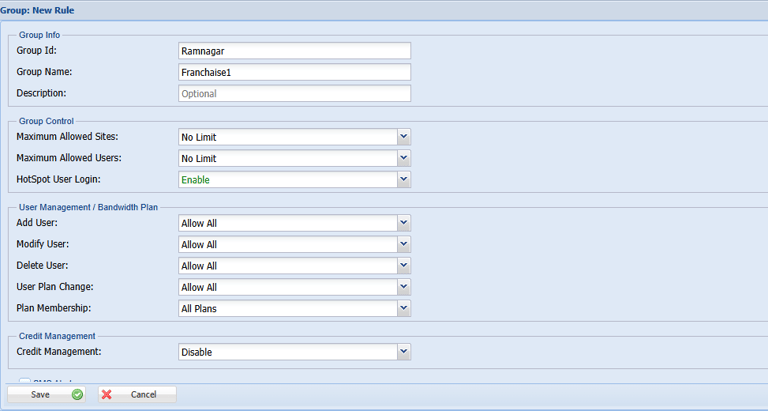
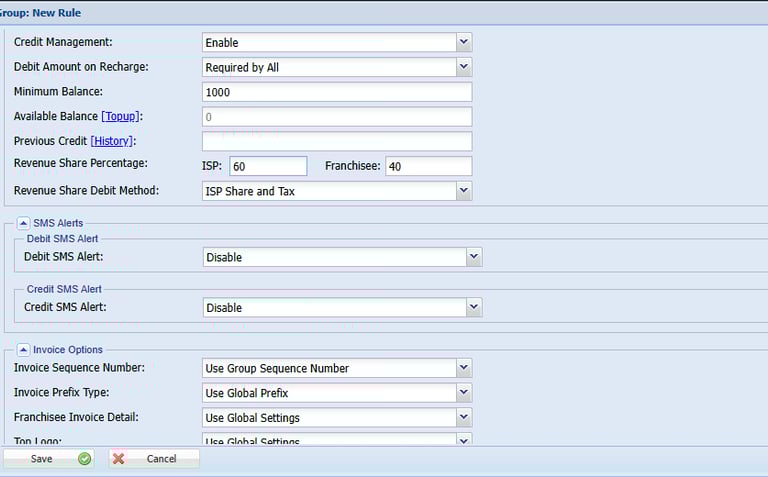
Step 8: Enable the Credit Management top-up the Amount For that Group.
Step 9: Mention the Revenue Sharing Percentage Eg: ISP-60 %, Franhisee-40%
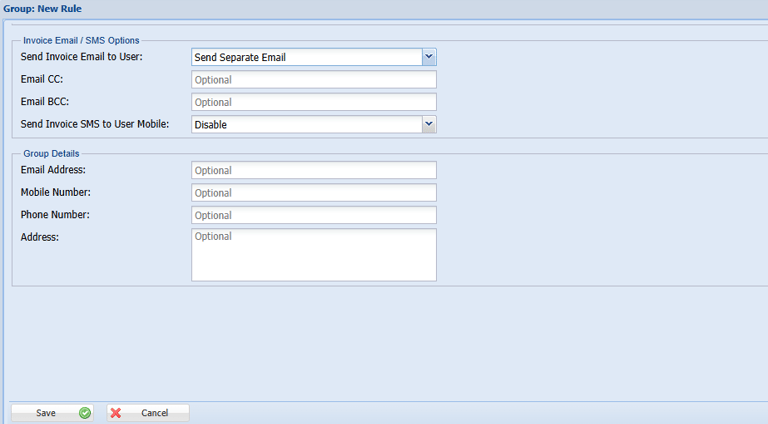
Step 10: Enable the Send Invoice Email to User for Sending invoices to User Mail.
Step 11: Click Save > Restart Service
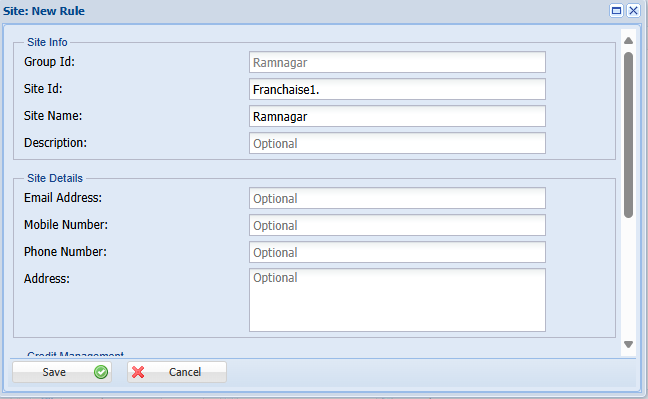
Step 14: Give the Site Id: Franchaise1
Step 15: Give the Site Name: Ramnagar
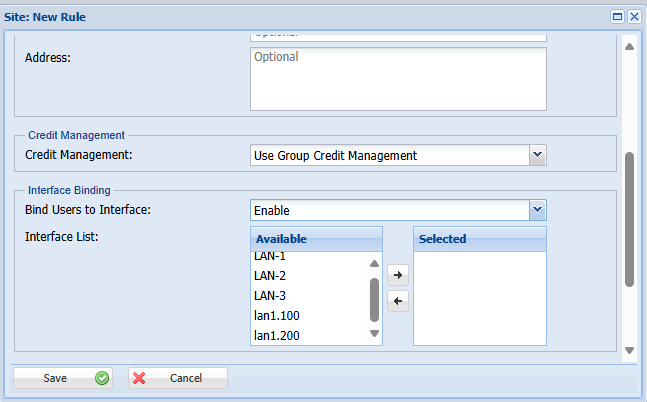
Step 16: Mention the Site Credit Management If You Need. Eg: Use Group Credit Management
Step 17: Enable Bind users to interface Eg: LAN-1. Bind Users are Going via LAN 1
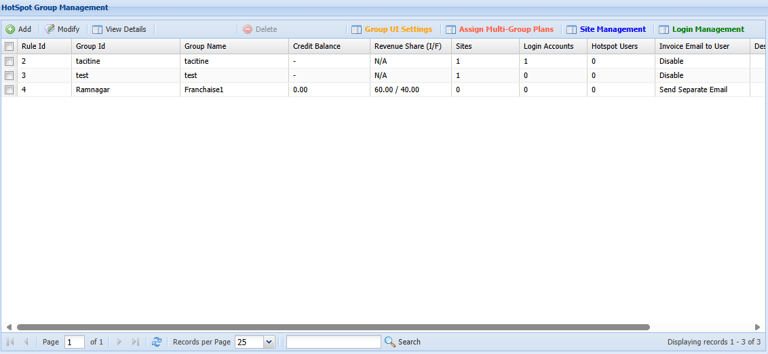
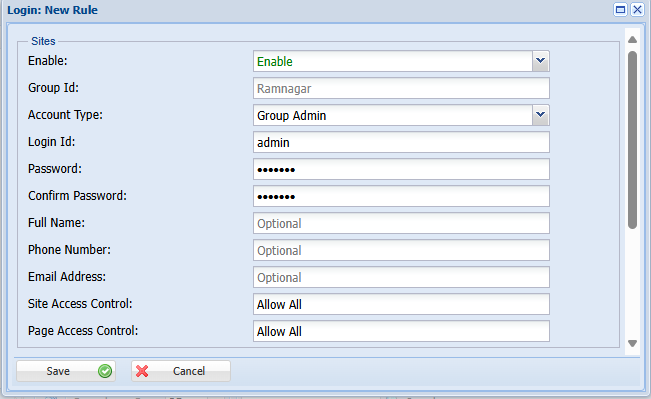
Step 18: Select the Created Group -> Click Login Managment
Step 19: Create the Login for Every New Group under Login Management.
Step 20: Select Account Type Like Group Admin/Regular User/Read Only. Eg: Group Admin.
Step 12: Select the Created Group -> Click Site Managment
Step 13: Create the Site Id for Every New Group Under the Site Management
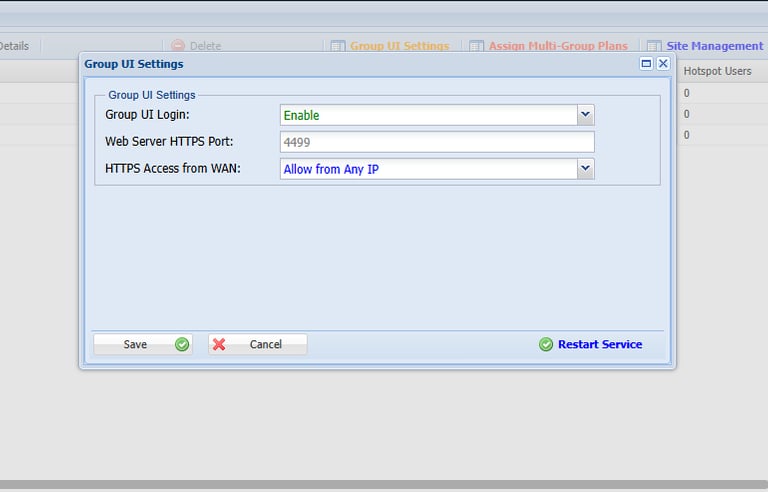
Step 21: Enable the Group UI Login under the Group management For Https Access via Wan.
Step 22: Https Access from Wan Select Allow from Any Ip
Step 23: Click Save > Restart Service
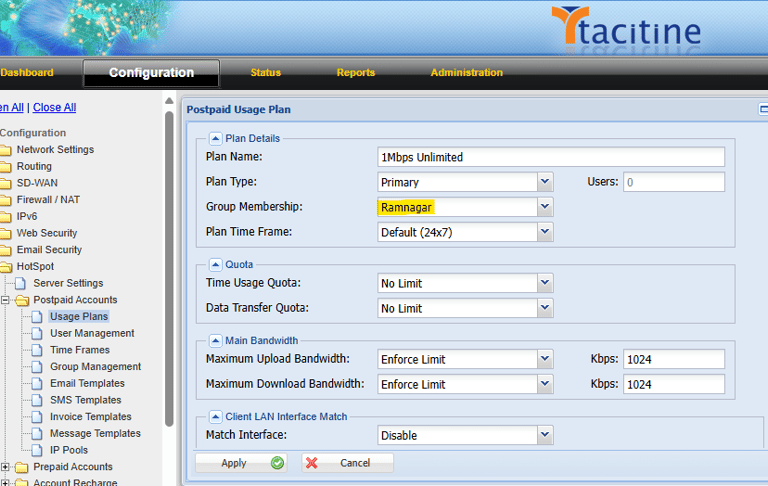
Step 24: Now Goto Configuration > Hotspot Tap
Step 25: Click Postpaid Accounts > Usage Plan > Add
Step 26: Once You Have Created Group Next You Select the Group Membership Under the Usage plans. Eg.Ramnagar. (In this Plan Was Show to the Ramnagar Group users Only)
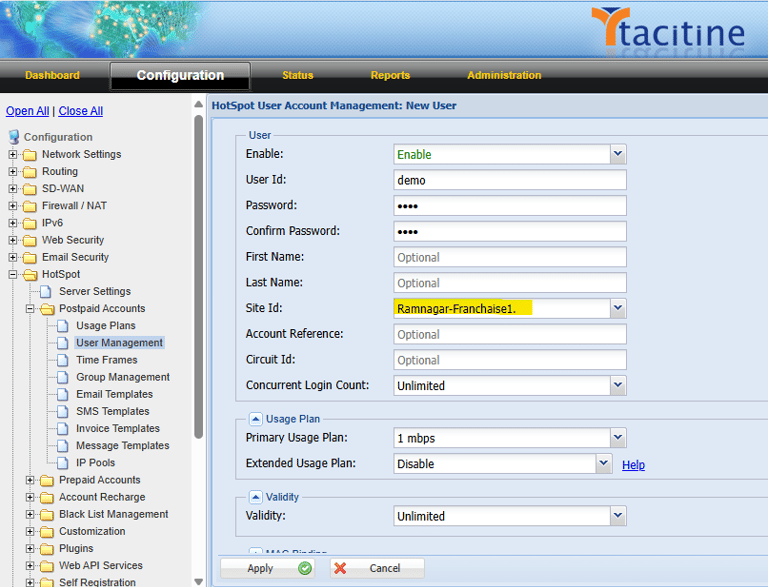
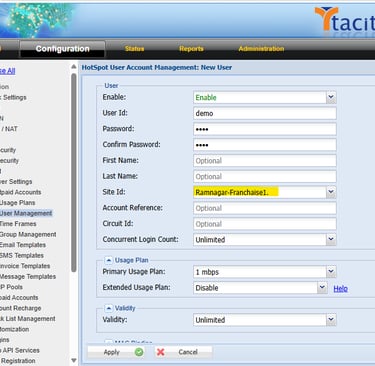
Step 27: Now Goto Configuration > Hotspot Tap
Step 28: Click Postpaid Accounts > Usage Managment > Add
Step 29: While Creating User under the User Management Assign the Group Site id. Eg: Ramnagar-Franchaise1